How to Stop Using Your Phone While Studying
You open your textbook, read half a page, and your hand is already reaching for your phone. A quick check turns into ten minutes, and you have to start the page again. The good news is that you don't need more willpower to break this habit. You need a study setup where your phone isn't an option.
Why you keep picking up your phone
Studying is hard work, and your brain looks for a way out. Your phone is the easiest escape: it's always close, it never gets boring, and every notification promises something new. Most of the time, you're not checking it because something important happened. You're checking it because the work got difficult for a moment. To make matters worse, many social media apps are specifically designed to capture your attention and keep you scrolling for as long as possible.
Once you understand this pattern, the solution becomes clear: make your phone harder to reach, give yourself planned breaks, and block the apps that keep pulling you in.
1. Put your phone out of reach
This is the simplest tip, and the one that works best. If your phone is on your desk, you'll pick it up. Even face-down, it keeps pulling at your attention.
- Best: leave it in another room while you study.
- Good: put it in your bag, a drawer, or behind you where you can't see it.
- At the library: keep it zipped in your backpack, not in your pocket.
The extra few seconds it takes to get your phone are often enough to make you ask yourself if you really need it.
2. Silence everything before you start
One buzz is enough to break your focus, even if you don't pick up your phone. Before every study session, turn on Do Not Disturb or a Focus mode.
- iPhone: open Control Center, tap Focus, and choose Do Not Disturb. You can also create a custom "Study" Focus in Settings → Focus.
- Android: swipe down to open Quick Settings and tap Do Not Disturb.
If you're worried about missing something urgent, allow calls from a few important contacts, like family. Everything else can wait until your break.
3. Stop using your phone as a study tool
Many students pick up their phone for a good reason, like checking the time, starting a timer, or playing music, and then get pulled into something else. Remove those reasons:
- Use a watch, a wall clock, or a kitchen timer instead of your phone's clock.
- Start your music on your laptop or a speaker before you begin, and don't touch it again.
- Look up anything you need for class on your computer, not your phone.
If you do need your phone for studying, like for flashcards, use a focus app that blocks everything except the apps you need.
4. Use a timed phone lock box
You can use a timed phone lock box. Popular brands include Mindsight and kSafe. You simply put your phone in the box and set a timer, and you can't open the box until the timer is over. That way, you won't pick up your phone while you study.
5. Plan when you'll check your phone
Telling yourself "no phone for three hours" rarely works. It's much easier to wait when you know exactly when you can check it next.
- Study for a set amount of time, like 25 or 50 minutes.
- Take a short break of 5 to 10 minutes. This is your phone time.
- When the break ends, put your phone away again and start the next session.
This is the idea behind the Pomodoro method. Knowing a break is coming makes it easier to stay focused until then.
6. Know what to do when the urge hits
You'll still feel the urge to check your phone, especially at first. That's normal. Instead of giving in, try this:
- Write it down. Keep a sticky note or scrap of paper next to you. When you think "I need to check something," write it down and deal with it on your break.
- Wait two minutes. Most urges fade quickly if you don't act on them. Read one more paragraph or finish one more problem first.
- Notice when it happens. If you always reach for your phone when a problem gets hard, that's your cue to slow down, not to escape.
7. Block your most distracting apps
Even with your phone in the next room, some apps are just too tempting. Blocking them removes the choice completely. Both iPhone and Android have built-in tools for this, like Screen Time App Limits and Digital Wellbeing Focus mode.
For step-by-step instructions, read our guide on how to lock apps while studying.
8. Use a focus app for your study sessions
Built-in tools are useful, but they're easy to turn off when you're bored. A dedicated focus app makes your study sessions harder to quit.
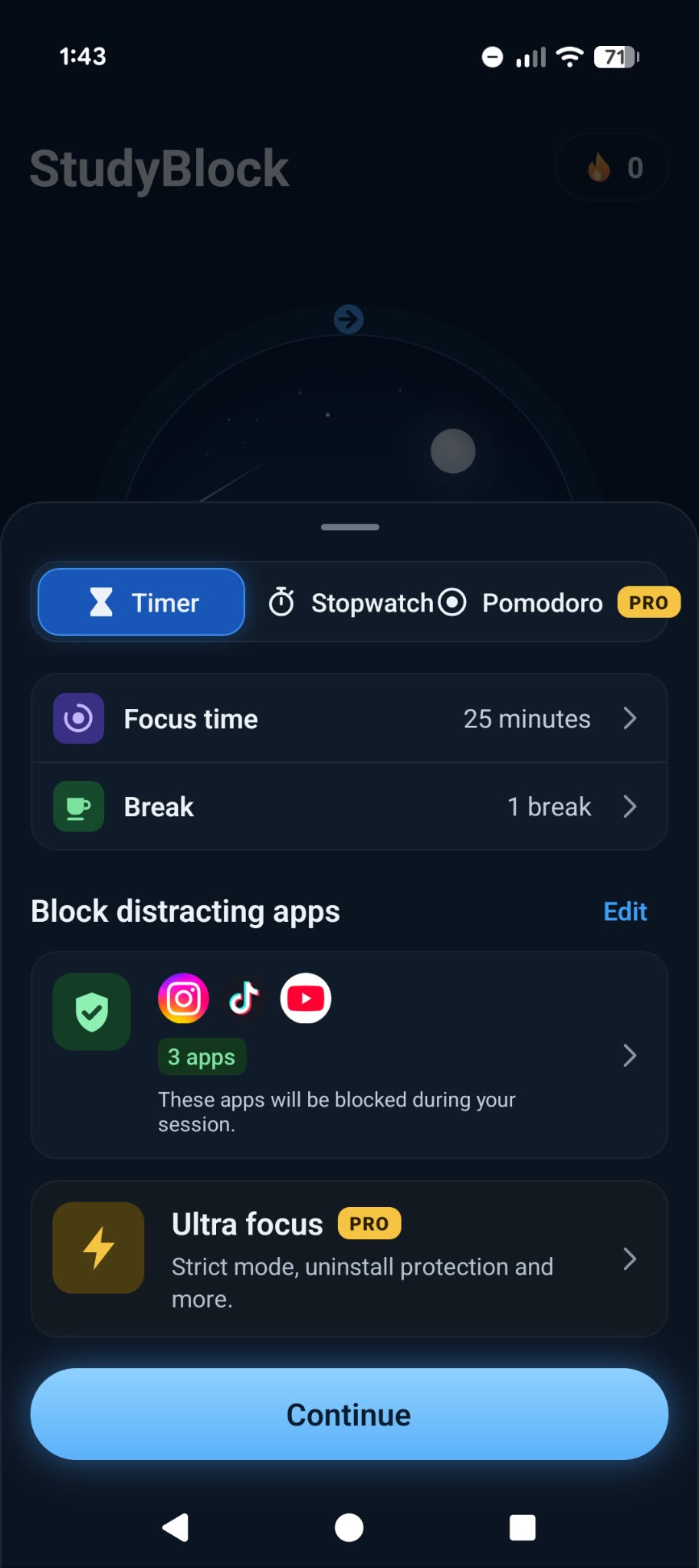
With StudyBlock, you set your focus time and breaks, choose the apps you want to block, and start your session. Until the session is over, those apps won't open, so you can stop fighting your phone and focus on your work.

Download StudyBlock
Block distracting apps and stay focused while you study. Available on iOS and Android.
The bottom line
You don't stop using your phone while studying by trying harder to ignore it. You stop by making it hard to reach, silencing it, giving yourself planned breaks, and blocking the apps that pull you in. Try it for your next study session and see how much more you get done.